How to investigate a high cold-email bounce rate
August 23, 2025 · 2 min read · by Ahmet Faruk Yilmaz, Founder of Asphia
TL;DR
Investigate the actual bounce responses, list provenance, authentication and sending controls together. Define a campaign-specific pause rule with the accountable owner; no universal percentage or tool stack guarantees delivery.
This guide is an investigation framework, not a promise that a particular bounce rate, domain pattern or sending cadence will restore delivery. Start with evidence from the actual sending platform and the requirements that apply to the intended traffic.
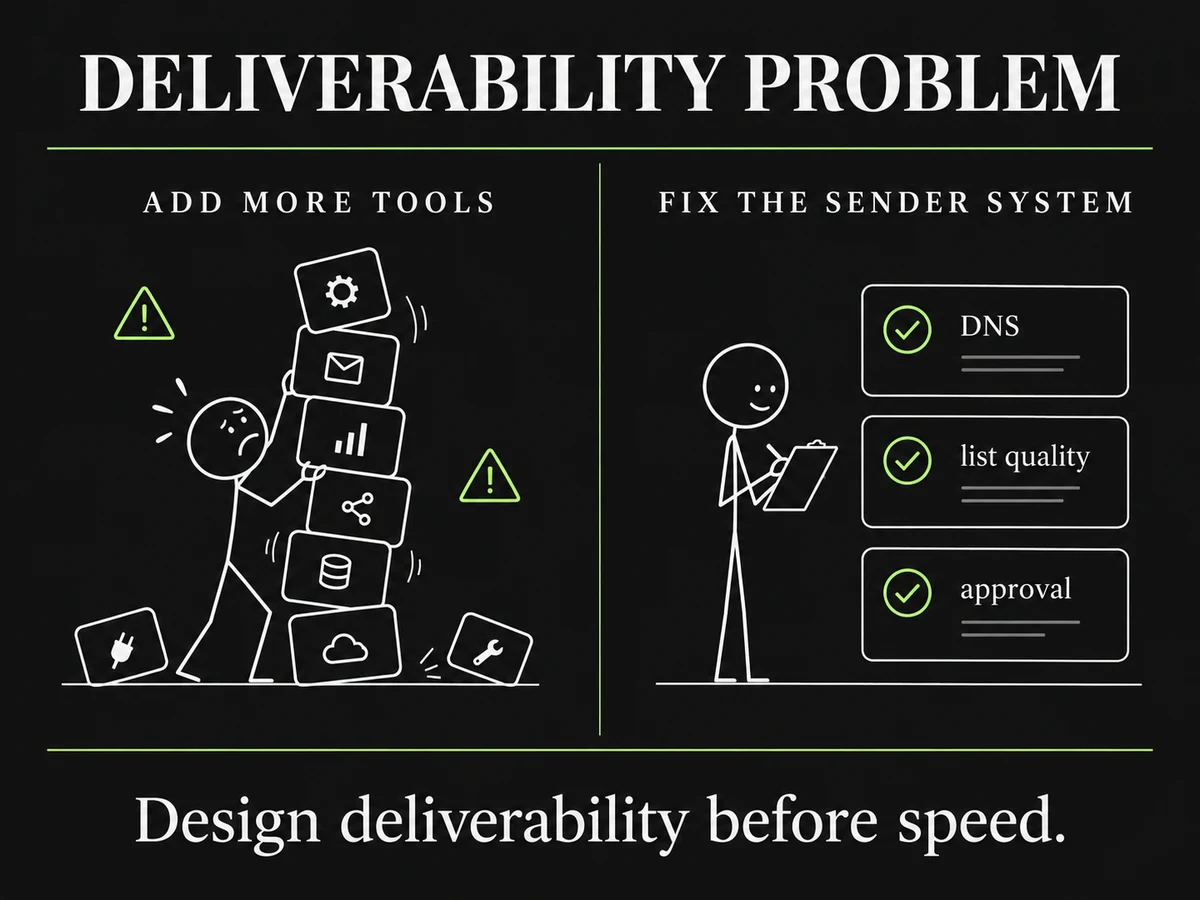
Design deliverability before speed.
Preserve the evidence before changing anything
Export the relevant sending window, recipient segment, response categories, bounce codes, sending identities and campaign settings. Record the list source, when the records were collected or refreshed, what exclusions were applied and who approved the send. An aggregate rate alone rarely identifies the cause.
Keep temporary delivery failures separate from permanent address failures where the provider exposes that distinction. Check the provider documentation for the exact response interpretation; the same broad category can have different causes in different environments.
Check sender configuration and published requirements
Review the sending domain, mailbox and platform against the current guidance from the relevant providers. Google’s Email sender guidelines and Microsoft’s sender policies are useful starting points, but the applicable requirements depend on the traffic and provider.
The responsible technical owner should verify the implemented DNS and signing configuration, including the sending service authorized by SPF, DKIM and any DMARC policy relevant to the intended traffic. A record existing in DNS is not the same as a documented, working configuration for a specific campaign.
Review the list and its exclusions
For the affected segment, document:
- where each record came from and the intended purpose for contact;
- the available email-status or verification signal and when it was observed;
- suppressed, objected-to, bounced or otherwise excluded records; and
- the policy for uncertain and catch-all records.
If a source or status is unclear, pause that segment until its owner decides how it should be handled. This is a review control, not a claim that a specific verifier can guarantee a valid inbox.
Agree a campaign-specific pause rule
Before resuming or scaling, agree the response signal that requires a pause, the person responsible for the decision and the evidence they will review. The rule may include bounce categories, complaints, unsubscribe handling, authentication changes or provider reporting. Do not use a universal numerical ceiling as a substitute for that decision.
When a signal changes, review one documented variable at a time where practical: list selection, message, sender configuration or platform settings. Capture the decision and the outcome so the next review is based on evidence rather than folklore.
Keep deliverability and compliance in scope
Delivery controls do not determine whether a message is appropriate to send. Confirm the lawful basis, required transparency, objections and electronic-marketing rules for the market with the relevant owner or counsel. A GDPR-conscious outbound workflow should document those checks alongside technical controls.
If your team is building the operating system, the done-with-you outbound model can scope the ownership, review steps and handover. The configuration and decisions remain visible to the people accountable for the send.
Request the signal tier list.
A practical view of how we rank observable signals before outreach. We review each request for fit and may reply by email; delivery is not automatic.
By submitting, you agree to processing described in our Privacy Policy.
Your request was submitted. If it is a fit, we may follow up by email.
One more step: send the prepared request to [email protected]
FAQ
What is a good bounce rate for cold email?
There is no universal percentage that proves a campaign is safe. Set a documented review threshold for the specific sender, audience, provider and campaign; investigate material changes rather than treating a generic benchmark as a provider rule.
Why is my bounce rate high?
Review the actual response codes, list source and age, mailbox configuration, authentication, sending platform and recipient environment. A bounce category can have several causes, so do not diagnose from the aggregate percentage alone.
Can a high bounce rate affect delivery?
It can be a signal to investigate the list and sending configuration, but the effect and recovery path depend on the provider and environment. Use the provider’s current guidance and the evidence available to the sending owner.
Should we verify addresses before a send?
Use the verification and exclusion process agreed for the campaign, document its limits, and keep an auditable record of the source and checks. Verification does not remove all delivery or compliance risk.
How should we handle catch-all domains?
Define the treatment of uncertain or catch-all records before launch. Record the source, status, reviewer decision and any exclusion; do not assume a generic tool result proves a specific mailbox is safe to contact.
How many sending domains or mailboxes do we need?
The right configuration depends on the provider, business identity, technical setup, audience and approved operating policy. Separate documented configuration choices from claims that a fixed number prevents filtering or protects reputation.

Ahmet Faruk Yilmaz
Founder of Asphia. He builds and runs signal-based B2B outbound engines for lean teams, and writes about cold email, Clay, deliverability, and GTM engineering.
Want this run for you?
Get a free GTM analysis. We show you the exact engine we would build.
Request the planning framework →