The Job Change Trigger: Test a LinkedIn Outreach Timing Hypothesis
April 5, 2026 · 6 min read · by Ahmet Faruk Yilmaz, Founder of Asphia
TL;DR
A job change trigger fires when a decision-maker starts a new role. The first 90 days can be a useful research window, but budget, need and buying intent still need validation. LinkedIn is one channel for testing the signal.
When a decision-maker starts a new job, the change can create a timely research window. The job change trigger for LinkedIn outreach is a hypothesis to test against your audience and offer, not a guaranteed high-converting signal.
The working hypothesis is that new executives may review priorities and vendor options early in the role. Authority, need and willingness to change still vary by context and need to be verified.
Why the First 90 Days Are Different
A VP of Sales who has been in their seat for three years may have a more established stack. A VP of Sales who started six weeks ago may be reviewing priorities, but existing vendor relationships and willingness to change still need to be verified.
A common operating hypothesis is that a new executive may review vendors and priorities early in the role. They may arrive with a mandate to change something or to show early results, but the relevant need and authority still have to be verified. Treat the first 90 days as a test window, not a purchasing assumption.
LinkedIn is one channel where this signal may appear. When someone updates their profile with a new employer and title, suitable data access can help you test timing; do not assume LinkedIn is always the fastest channel.
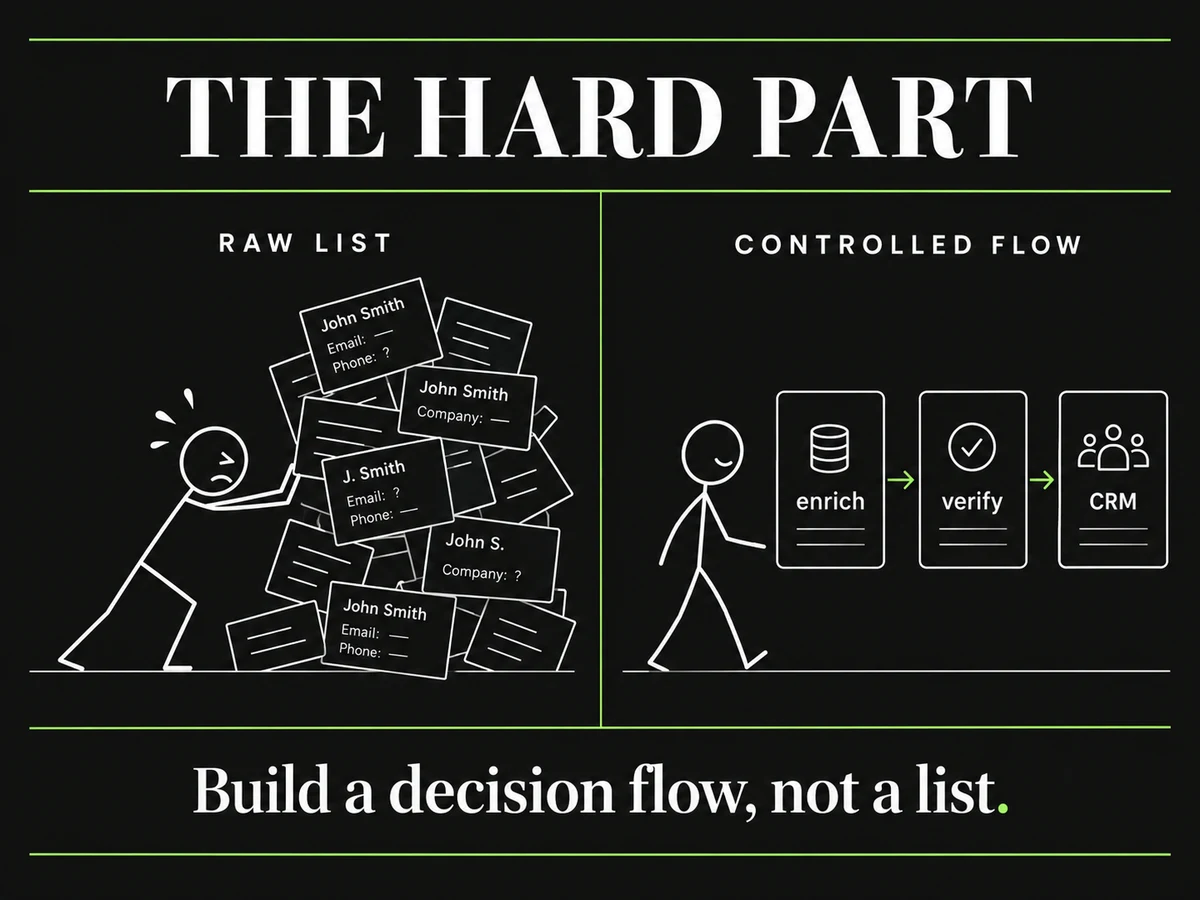 Build a decision flow, not a list.
How to Set Up Job Change Monitoring
Manual monitoring does not scale. Checking 200 LinkedIn profiles every week to see who changed jobs is not a workflow, it is a liability. The systems that make this work use data providers to do the detection automatically.
Tools like Clay enrichment and Apollo let you build a list of target contacts and then monitor that list for job change events. When a contact updates their LinkedIn title, the system flags them and can automatically trigger the next step: add to a sequence, alert a rep, or push to your CRM. This is the same infrastructure used in signal-based outbound for B2B more broadly.
The setup requires three things. First, a source of contacts to monitor. This is usually a list built from your ICP criteria, pulled from Apollo or a similar provider, and kept current. Second, a detection layer. Clay is the most flexible option here because it lets you build custom enrichment logic on top of job change alerts. Third, a decision rule for when the trigger is actually actionable. Not every job change matters. A mid-level manager moving to a similar role at a smaller company is not the same signal as a Director of Revenue Operations moving to a Series B SaaS company with a known growth mandate.
Writing LinkedIn Outreach You Can Test
The trigger gets you the timing. The message determines whether you get a reply.
Most job change outreach fails because it is too generic. “Congrats on the new role” followed immediately by a pitch is the pattern that every new executive sees dozens of times in their first week. It does not work because it signals that you did not actually pay attention to who they are or what they are walking into.
The messages that do work are specific to the role, not just the person. If someone just became the Head of Demand Generation at a fintech company, the relevant opening is not “congrats on the new gig,” it is a reference to the actual challenge that role typically inherits at companies in that stage. What does a new demand gen leader at a Series B fintech usually need to solve in month two? Pipeline. What do they usually inherit? An ad stack that is optimized for brand awareness, not conversion. A relevant message connects to that reality.
Keep the first touch short. A LinkedIn connection request note has a 300-character limit. That is enough for a personalized line and one specific reason for connecting, nothing else. Do not pitch. Do not ask for a meeting. Connect first, then continue the conversation if they accept.
For LinkedIn outreach at scale, the same principle applies: the variable that changes per contact is the specific reference to their role context. The structure of the message stays consistent. The detail that makes it feel personal comes from the signal data.
Timing, Volume, and Avoiding the Obvious Mistakes
Two to four weeks after the detected start date is the target window for most roles. Earlier than that and the person is still learning where the bathrooms are. Later than that and they have already made initial decisions.
One exception: if the role is explicitly about a problem you solve, earlier can work. A new VP of Sales at a company with no CRM is already thinking about CRM on day one. In those cases, reaching out in week one or two with a very specific, problem-aware message can work well.
On volume, job change outreach should not be treated as a spray-and-pray list. The trigger is valuable precisely because it is specific. If you are targeting 20 new executives per week with carefully timed, role-aware messages, that is a much higher-quality motion than blasting 500 generic congrats notes. Done-for-you outbound built on this pattern tends to produce smaller, higher-quality pipelines rather than large volumes of unqualified conversations.
The most common mistake is over-automating the personalization. A message that says “I saw you just joined CompanyName as JobTitle, we help people in your role with GenericProblem” is not personalized. It is a mail merge. Personalization at the signal level means understanding what the role context implies, not just filling in the data fields.
Combining LinkedIn With Email for the Same Trigger
LinkedIn may be where the signal originates, but it is not always the fastest route to a new executive. Measure a multi-channel approach against a single-channel baseline, particularly for senior roles where LinkedIn acceptance rates vary.
When a job change fires, a well-structured sequence might look like this: LinkedIn connection request in week two, a follow-up message if they accept, and a parallel cold email to their new work address (if available and verified) in week three. The email references the same context as the LinkedIn outreach but takes a slightly different angle. Signal-based cold email that references the same trigger event as your LinkedIn touch creates a coherent presence without feeling like spam.
This is the pattern that Asphia builds for clients across multiple markets: detect the trigger, time the touch, vary the channel, keep every send human-approved. The machine handles the detection and the copy generation. A human reviews before anything goes out.
If you want to see how job change signals fit into a broader outbound system, the full signal stack for B2B outbound is a good place to start.
Request the signal tier list.
A practical view of how we rank observable signals before outreach. We review each request for fit and may reply by email; delivery is not automatic.
By submitting, you agree to processing described in our Privacy Policy.
Your request was submitted. If it is a fit, we may follow up by email.
One more step: send the prepared request to [email protected]
FAQ
What is a job change trigger in B2B outreach?
A job change trigger is a signal that fires when a prospect moves into a new role, typically detected via LinkedIn profile updates or data providers like Apollo or Clay. It suggests a changed context; verify the person's authority, mandate, need, and timing before treating it as a reason to evaluate tools or vendors.
Why are new executives more likely to respond to LinkedIn outreach?
New executives may be reviewing priorities during their first 90 days, but that does not establish buying intent. Test whether the new role creates a relevant, evidence-backed reason to reach out rather than assuming greater receptiveness than an established contact.
How quickly should I reach out after a job change signal fires?
Use two to four weeks after the detected start date as one timing hypothesis, then compare it with a two-to-six-week window and your normal baseline. Onboarding, authority, mandate, and vendor timing vary by account, so do not treat one window as a sweet spot.
What should a job change LinkedIn message actually say?
Lead with a congratulations line that is specific to their new role, not generic. Then make a single, concrete connection to a problem that role typically inherits. Keep it under 300 characters for a connection request note, or under 150 words for an InMail. Never pitch a product in the first message.
How do I detect job change triggers at scale without doing it manually?
Tools like Clay, Apollo, and AI Ark can monitor contact lists and flag when someone updates their LinkedIn title or employer. You set the filter criteria (seniority, industry, role type) and the system alerts you or automatically queues that contact for outreach. Manual monitoring does not scale past a few dozen contacts.
Is using LinkedIn job change data GDPR compliant?
Using publicly available LinkedIn profile data for outreach is generally considered legitimate interest under GDPR when you are targeting business contacts in a relevant professional context, include a clear opt-out, and do not retain data beyond what the outreach requires. If you are operating in the EU, document your legitimate interest basis before running the campaign.

Ahmet Faruk Yilmaz
Founder of Asphia. He builds and runs signal-based B2B outbound engines for lean teams, and writes about cold email, Clay, deliverability, and GTM engineering.
Want this run for you?
Explore our B2B outbound and GTM engineering services, then request the planning framework to scope your next campaign.
Request the planning framework →