A practical guide to Gmail sender requirements
August 21, 2025 · 3 min read · by Ahmet Faruk Yilmaz, Founder of Asphia
TL;DR
Start with Google’s current sender guidelines, identify the traffic and volume they cover, document authentication and unsubscribe controls, and monitor the sending system. No setup guarantees inbox placement or campaign results.
This is an implementation guide, not a reverse-engineering claim about Gmail’s spam filters and not a deliverability or meeting guarantee. Google publishes sender requirements; it does not publish a complete rulebook that predicts where every message will land.
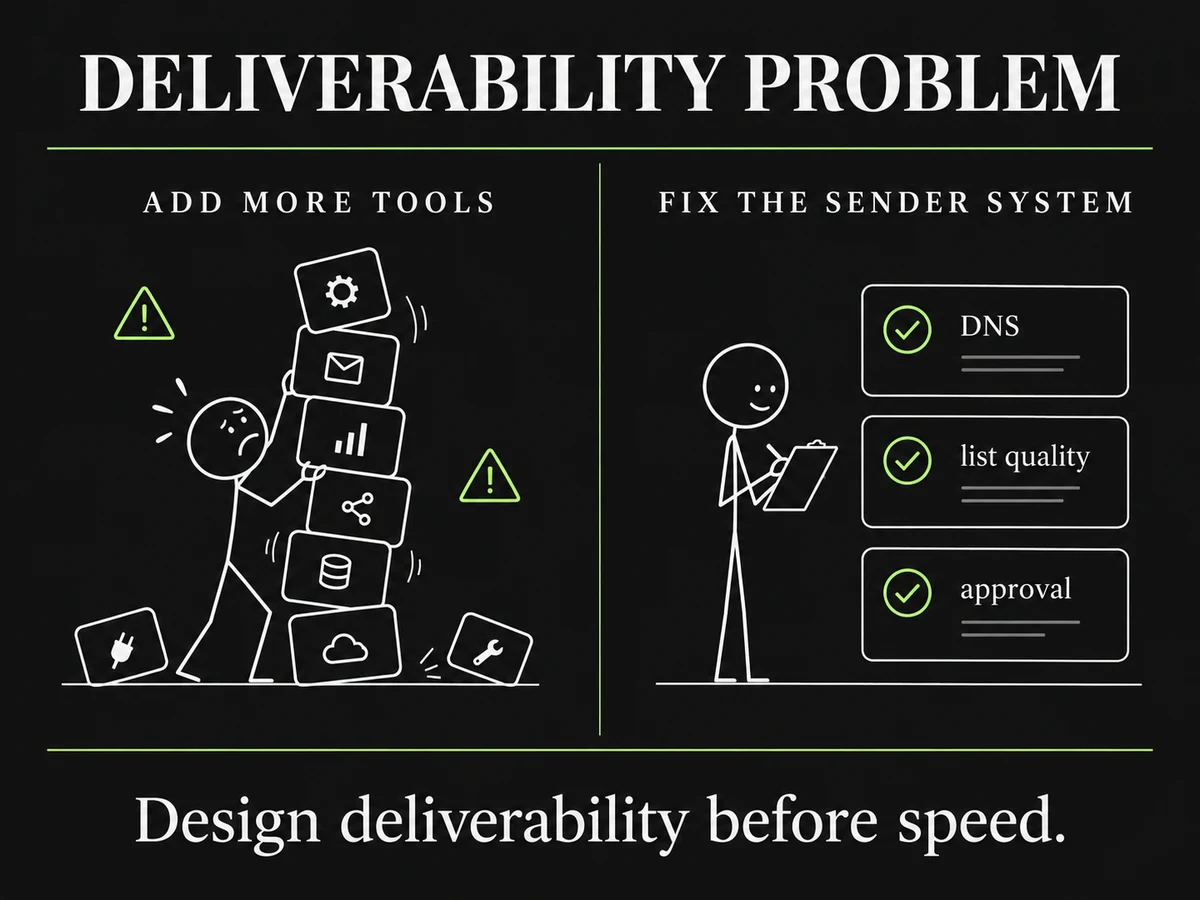
Design deliverability before speed.
Start with the official source
Use Google’s Email sender guidelines as the source of record before configuring a sending workflow. The guidance distinguishes traffic by sender type and volume, and it can change. Record the date reviewed, the sending domains and mailboxes covered, the owner who verified the configuration, and any conditions that still need work.
Do not turn a provider requirement into a generic cold-email claim. A rule that applies to a particular sender category, recipient population or volume may not describe every B2B workflow.
Make the sender configuration reviewable
Before a send, the team responsible for the domains and sending platform should document:
- the domain and mailbox that will send;
- SPF and DKIM records and the sending service they authorize;
- the DMARC policy and reporting route where the intended traffic falls within Google’s published scope;
- the visible sender identity and reply-handling owner;
- the unsubscribe or objection-handling path required for the intended message and jurisdiction; and
- the source, exclusions and approval status for the recipient list.
This checklist is a control surface, not proof of inbox placement. DNS records can be present while a message, list or recipient context still needs review.
Treat volume and timing as operating assumptions
Teams often share fixed warm-up periods, daily caps and alert thresholds. Those can be useful internal hypotheses, but they are not universal Google rules. Set them for the actual sending environment, record the reason, and revisit them when the provider feedback, list quality or workflow changes.
Avoid language such as “this volume is safe” or “this setup will avoid spam.” A more useful question is: what evidence would cause the owner to pause, investigate or change the workflow?
Review the message and the audience together
A human reviewer can check whether the message accurately reflects an allowed source, whether the recipient is in scope, and whether the promised next step is clear. That review does not guarantee accuracy, engagement or delivery. It creates a visible decision point before a send.
The same applies to list hygiene. Maintain documented exclusions, honor objections and suppress records that your process says should not be contacted. The exact verification and suppression policy should be agreed before launch rather than implied by a generic tool claim.
Keep a short operating record
For each campaign, keep a record of the sending identity, approved audience, relevant Google guidance reviewed, authentication checks, opt-out route, owners and observed feedback. If a signal changes, investigate the message, list, sending environment and provider reporting together. Change one documented variable at a time where practical.
For a governed workflow, signal-based cold email can connect an approved source to a draft and review decision. The setup still needs the legal, platform and sending controls appropriate to the market. If you are building the workflow with your team, the done-with-you model scopes those controls before launch.
Request the signal tier list.
A practical view of how we rank observable signals before outreach. We review each request for fit and may reply by email; delivery is not automatic.
By submitting, you agree to processing described in our Privacy Policy.
Your request was submitted. If it is a fit, we may follow up by email.
One more step: send the prepared request to [email protected]
FAQ
Does cold email always go to spam on Gmail?
No single setup determines placement. Google does not publish a complete spam-scoring formula, and delivery depends on the message, sender, recipient environment and applicable requirements. Treat published guidance as a baseline, not an inbox guarantee.
Which authentication records do we need?
Check Google’s current sender guidelines for the traffic class and volume you intend to send. The published requirements distinguish sender categories and include authentication expectations such as SPF, DKIM and, for relevant bulk traffic, DMARC. Have the team that controls DNS and the sending platform verify the implemented configuration.
How many messages can one inbox send each day?
There is no universal safe daily number. Set a documented limit from the mailbox provider, authentication state, list quality, sending history and observed feedback; change it only after reviewing evidence. Do not present a practitioner rule of thumb as a Google requirement.
Does personalization guarantee delivery?
No. A reviewer can check that a message’s context is accurate and appropriate, but personalization does not guarantee delivery, engagement or a reply.
How long should preparation take?
Preparation time depends on the sender environment, DNS state, mailbox provider, list readiness and the controls chosen. Separate configuration milestones from any claim about future campaign outcomes.
What should we monitor?
Monitor the controls and feedback available to your sending setup, such as authentication status, bounces, complaints, unsubscribe handling and provider reporting. Investigate changes with the relevant owner rather than relying on one universal threshold.

Ahmet Faruk Yilmaz
Founder of Asphia. He builds and runs signal-based B2B outbound engines for lean teams, and writes about cold email, Clay, deliverability, and GTM engineering.
Want this run for you?
Explore our B2B outbound and GTM engineering services, then request the planning framework to scope your next campaign.
Request the planning framework →