How to Build a Signal-Based Prospecting Workflow in Clay (Step-by-Step)
April 19, 2026 · 5 min read · by Ahmet Faruk Yilmaz, Founder of Asphia
TL;DR
Build a Clay signal-based prospecting workflow by connecting a signal source (job changes, funding rounds, tech installs), enriching matched companies and contacts, scoring by signal strength, and pushing qualified leads into a sequencer with a personalized first line. The whole loop can run daily without manual intervention.
Signal-based prospecting flips the traditional outbound model. Instead of exporting a list and blasting it, you watch for events that indicate a buying window. Then you contact only those accounts, while the event is still relevant, with a message tied to it. Many outbound teams use Clay to automate this loop.
The build has five steps.
Step 1: Define Your Signals and Match Them to ICP Criteria
Before touching Clay, decide which signals matter for your offer. A good signal meets two conditions: it correlates with a real buying need, and it is detectable via an API or data provider.
Common signals by category:
Hiring signals. A new VP of Sales posting means headcount and budget are growing. A job ad for “RevOps Manager” suggests the team is building infrastructure. Use Apollo’s job postings filter or LinkedIn job scrapes via PhantomBuster.
Funding signals. Series A through C rounds create budget for tools and services. Crunchbase, Apollo, and news-based APIs like Diffbot surface these within days of announcement.
Tech stack changes. A company adding Salesforce or HubSpot signals a CRM migration or team scaling. BuiltWith and Datanyze track installs and removals. This is especially useful for adjacent tool vendors.
Intent signals. G2 category views, content downloads, or ad retargeting data from platforms like Bombora indicate active research. These are weaker signals, but they can support a score when paired with stronger ones.
Once you have your signals, define the account filter that must also be true. Signal alone is not enough. A funded startup with ten employees in a consumer space is a false positive for a B2B enterprise play. ICP criteria such as headcount range, industry, geography, and revenue tier act as the qualifier that converts a signal into a lead.
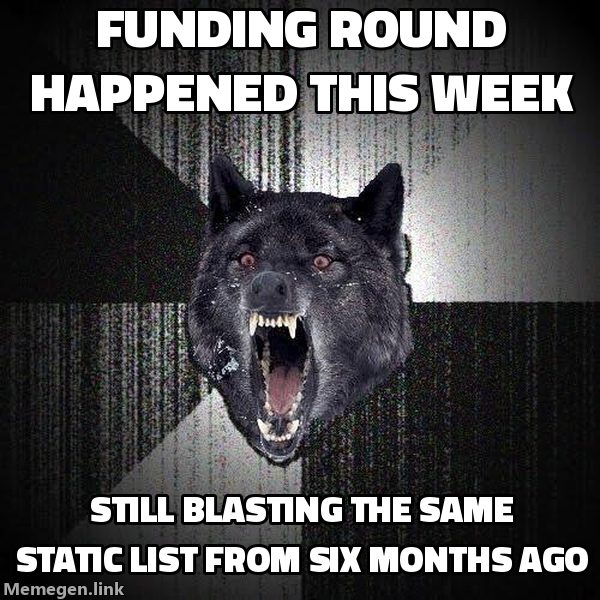 Timing is the variable everyone forgets to optimize.
Step 2: Build the Clay Table Structure
Create a new Clay table. The architecture is the same regardless of signal type:
- Input column: the raw signal row (company name, domain, event type, event date).
- Enrichment columns: company info (headcount, funding stage, tech stack) pulled via Clay’s integrations with Apollo, Clearbit, or your preferred provider.
- Contact columns: decision-maker name, title, verified email, LinkedIn URL. Use a waterfall: try Apollo first, fall back to Hunter or a secondary provider if the first returns nothing.
- Scoring column: a formula that assigns a numeric score based on signal recency, signal type weight, and ICP fit. A funding round from this week scores higher than one from three months ago.
- Personalization column: a Clay AI formula that takes the signal event and the contact’s title and drafts a first line. Keep this to one sentence. It should reference the specific event, not a generic compliment.
- Export column: a boolean or status field that marks rows ready to push to your sequencer.
In a clay enrichment service setup, the enrichment waterfall determines most of the data quality. A single provider rarely covers the whole list, so chain two or three with fallback logic.
Step 3: Connect Your Signal Source
Clay can ingest signals via:
- Native integrations: Apollo (companies, contacts, intent), news APIs, and Crunchbase are available directly in the integrations panel.
- CSV upload on a schedule: export a signal list from your source daily and upload it via Zapier or Make into Clay. This works for tools without a native connector.
- Webhook trigger: if your signal source can fire a webhook on an event, Clay can receive it and create or update a row automatically. This gives you near-real-time triggering.
For funding signals, connect a Crunchbase Pro feed via webhook. For hiring signals, run a LinkedIn job scraper nightly through PhantomBuster, export to CSV, and send the rows to Clay. This works without API access.
Step 4: Score, Filter, and Push to Sequencer
Once enrichment and scoring finish, create a filter view for rows above your minimum score threshold with a verified email. This is your daily send queue.
Push qualified rows to your sequencer (Smartlead, Instantly, Lemlist, or Manyreach) using Clay’s native integrations or a Zapier step. Pass the personalization first line as a custom variable so the sequencer inserts it into the opening of your email template.
The rest of the template can stay generic. The signal-specific first line carries the personalization. The model has two layers: a shared template for the segment and one hook per person. You do not need to write a separate email for every lead.
The done-with-you outbound model covers this setup. We build the Clay table, signal sources, and sequencer connection in your stack. You own the system after handoff.
Step 5: Maintain the Loop
Signal-based workflows decay if left unattended. Set a weekly review of:
- Signal freshness: are your sources still firing? A scraper that breaks silently will drain the table without anyone noticing.
- Enrichment coverage: what percentage of rows are getting a verified email? If it drops below 60 percent, your waterfall may need a new provider added.
- Reply data feedback: which signal types are generating replies? Shift score weights toward the signals that actually produce conversations.
Teams running this well usually adjust the signal mix each month. The initial setup is a hypothesis about what buying intent looks like for your offer. Reply data proves or disproves it.
The managed outbound service option gets this live in about seven days. It uses your data and sequencer, with a human approving every send.
Signal-based prospecting is not a tool trick. You need to know which events predict a buying conversation and reach the right person while that window is open. Clay speeds up the mechanics. Signal selection separates workflows that book meetings from workflows that merely run.
Request the signal tier list.
A practical view of how we rank observable signals before outreach. We review each request for fit and may reply by email; delivery is not automatic.
By submitting, you agree to processing described in our Privacy Policy.
Your request was submitted. If it is a fit, we may follow up by email.
One more step: send the prepared request to [email protected]
FAQ
What is signal-based prospecting in Clay?
Signal-based prospecting means triggering outreach based on a real-world event rather than a static list. In Clay, you connect a data source that surfaces signals such as job changes, funding, or new tech installs, then enrich and contact matched accounts automatically.
What are the best signals to use in a Clay prospecting workflow?
Funding announcements, executive hiring, tech stack changes, and job postings can be useful signal candidates to test. They do not establish purchase intent on their own; verify the current need and ICP fit before contacting an account. Lower-intent signals like LinkedIn activity can supplement a documented workflow.
How do I connect Clay to a signal source like Apollo or LinkedIn?
Clay has native integrations with Apollo, Hunter, and several news APIs. For LinkedIn signals, most teams pipe data through PhantomBuster or a dedicated scraper, then import the CSV or connect via webhook. Clay's HTTP action lets you hit any API that exposes signal data.
Can I use Clay for signal-based prospecting without a developer?
Yes. Clay's table interface works like a spreadsheet with API calls baked in. A non-technical operator can build a full workflow using column formulas, the enrichment integrations panel, and Zapier or Make triggers. No code is needed for most common signal sources.
How does signal-based prospecting improve reply rates?
Personalization grounded in a real event may give the recipient a reason to engage now. When your opening line references something that happened to their company in the last 30 days, it can read as relevant rather than random. Test timing and relevance against your audience baseline; neither guarantees a reply.
How is signal-based prospecting different from buying a lead list?
A lead list is static and usually stale by the time you use it. Signal-based prospecting pulls in accounts that match your ICP at the moment a trigger event occurs, so the outreach reaches people when they are most likely to be open to a conversation, not six months later.

Ahmet Faruk Yilmaz
Founder of Asphia. He builds and runs signal-based B2B outbound engines for lean teams, and writes about cold email, Clay, deliverability, and GTM engineering.
Want this run for you?
Explore our B2B outbound and GTM engineering services, then request the planning framework to scope your next campaign.
Request the planning framework →