The 47-Step AI Outbound System We Use to Book Meetings
June 15, 2026 · 7 min read · by Ahmet Faruk Yilmaz, Founder of Asphia
TL;DR
An AI outbound system is not one tool. It is 47 chained steps across data, enrichment, copy, sending, and reply handling. Here is the exact build we run for clients.
Adding a ChatGPT prompt to a bulk sending tool does not manage targeting, suppression, or reply routing. Our system connects 47 steps across data, enrichment, copy, sending, and reply handling. AI handles the per-lead work at each step. Here is the build we run for clients.
The short version
An AI outbound system is a pipeline, not a tool. It moves a raw company list to a booked call through 47 steps grouped into 6 stages:
- Stage 1, Targeting: define the list before you touch a tool. 6 steps.
- Stage 2, Data: find the right companies and people. 8 steps.
- Stage 3, Enrichment: turn rows into reasons to reach out. 11 steps.
- Stage 4, Copy: write per-lead messages that earn a reply. 7 steps.
- Stage 5, Sending: deliver across email and LinkedIn without burning domains. 9 steps.
- Stage 6, Reply and book: handle responses and get the call on the calendar. 6 steps.
No single step makes the system work. The value comes from connecting them so a lead never waits on a human. AI handles enrichment, hooks, copy variants, and the first reply triage. You make the judgment calls.
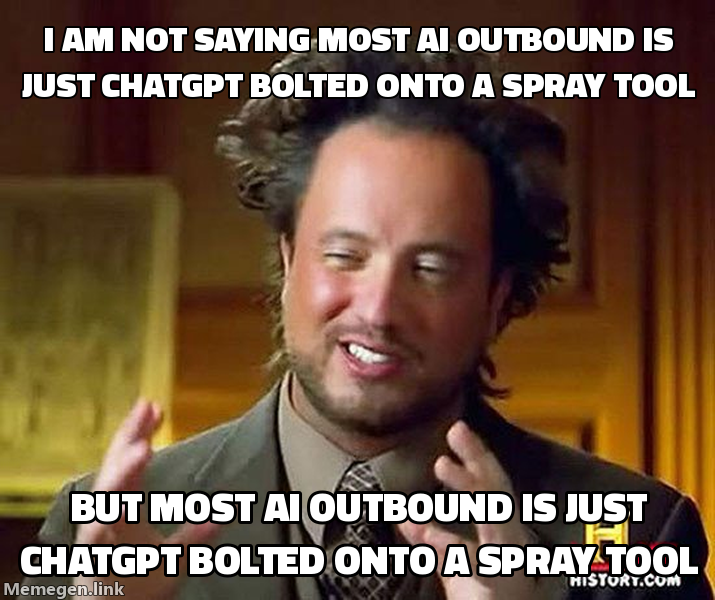 The 47 steps exist because “paste into ChatGPT and blast” is not a system.
Stage 1: Targeting (steps 1 to 6)
You cannot automate a bad list into a good outcome. This stage requires human judgment and gives you the highest return on your time.
- Define the offer in one sentence: who, what result, by when.
- Pick one ICP, not three. One title, one company size band, one trigger.
- Write the disqualifiers. Who do you not want, and why.
- Choose the trigger that signals timing: new hire, funding, job posting, tech change.
- Set the channel mix. Email-led, LinkedIn-led, or both in one sequence.
- Set the target: meetings per month, working backward to touches per week.
Skip this and the next 41 steps run faster toward nothing.
Stage 2: Data (steps 7 to 14)
Now you build the raw list. Apollo and similar sources give you the rows. The job here is volume with a filter, not volume alone.
- Pull the company universe from Apollo by size, geo, and industry.
- Layer the trigger search: hiring, funding, or tech signal.
- De-dupe against your CRM so you never re-hit a live deal.
- Suppress past opt-outs across every channel.
- Pull the right contacts per account, capped to avoid spamming one company.
- Validate email at the source to cut bounces before they cost you.
- Resolve LinkedIn URLs with identity checks so you message the right person.
- Score the list and cut the bottom third before it ever moves forward.
A clean 1,000-row list beats a dirty 10,000-row list every time. We cut hard here.
Stage 3: Enrichment (steps 15 to 25)
Most stacks stop here, and that costs them meetings. Enrichment turns a database row into a reason to contact someone. We run it through our Clay enrichment service, with AI evaluating each lead separately.
- Pull company description and recent news per account.
- Pull the prospect’s recent LinkedIn activity, if any.
- Detect the trigger event and tag it as a structured field.
- Identify the likely pain tied to that trigger.
- Find a specific, checkable detail per lead. Not “I see you work at X.”
- Generate the hook: one sentence that proves you did the work.
- Score hook quality and flag weak ones for a human pass.
- Translate the hook to the lead’s language: TR, EN, NL, DE, AR.
- Localize the angle, not just the words. A Dutch buyer reads differently than a German one.
- Write the enriched fields back as clean custom fields.
- Hold any lead with no defensible hook out of the send queue.
Step 25 is the discipline. No hook, no send. A generic message to a great lead still burns the lead.
Stage 4: Copy (steps 26 to 32)
Now the message. AI drafts, your framework constrains it, and you keep variants alive so the system learns.
- Generate the opener from the enriched hook, per lead.
- Generate the offer line: the result, not the service.
- Generate the ask: one low-friction call to action.
- Build 2 to 3 follow-ups that add a new angle, never “just bumping this.”
- Produce an A and a B variant per step for testing.
- Run a spam-trigger and length check before anything queues.
- Hold high-value named accounts for a hand-written pass.
Use AI for the long tail. Write the priority accounts by hand. Both can run in the same system.
Stage 5: Sending (steps 33 to 41)
Delivery is an infrastructure problem, not a copy problem. The best message in a burned domain books zero calls.
- Warm domains and inboxes before volume, not during.
- Cap per-inbox daily volume and rotate across many inboxes.
- Run email through Sendkit or Smartlead, LinkedIn through GetSales or Heyreach.
- Follow current platform restrictions; no daily invitation count guarantees account safety. Keep activity conservative and monitor each profile.
- Sequence the channels: one touch should know about the other.
- Throttle by reply signal, not by a fixed daily quota.
- Monitor bounce and spam rate per inbox, pull any inbox that drifts.
- Honor suppression and opt-out across every channel in real time.
- Keep a GDPR-defensible lawful basis and a clean opt-out path on every send.
Add inboxes and accounts when you need more volume. Do not push one inbox harder. That is the most damaging sending mistake we see.
Stage 6: Reply and book (steps 42 to 47)
The system is not done when the message sends. It is done when the call is on the calendar.
- Triage every reply with AI into interested, question, objection, or noise.
- Filter the noise: out-of-office, “wrong person,” referrals.
- Route real positives to a human within minutes, not hours.
- Draft a reply per category so the human edits instead of writes.
- Push the booking link or propose times, then confirm the calendar hold.
- Write the outcome back to the CRM so the next cycle starts smarter.
Agencies often lose good opportunities at the reply stage. Leave a positive reply untouched for a day and it may go nowhere.
What this looks like in tools
The 47 steps run on about 6 tools. The steps do the work. The tools move data between them.
| Stage | What it does | Tools we run |
|---|---|---|
| Targeting | Define list, ICP, trigger | Manual, no tool |
| Data | Find companies and people | Apollo, Clay |
| Enrichment | Turn rows into reasons | Clay plus AI |
| Copy | Write per-lead messages | AI, human pass on named accounts |
| Sending | Deliver across channels | Sendkit, Smartlead, GetSales, Heyreach |
| Reply and book | Triage, route, book | AI triage plus human close |
If you measure this system on activity, it looks busy. We measure it on booked meetings. A 40% connection-accept rate that produces no calls is a vanity number, and we do not bill for vanity.
Why 47 steps beats one big prompt
A single AI prompt does not track list quality, suppression rules, domain health, or reply routing. It can write a good message and still send it to the wrong place. In this system, each step is small, checkable, and connected to the next. When reply rate drops, you do not rebuild everything. You find the broken step, such as a stale trigger, a drifting inbox, or a weak hook score, then fix it.
Clients can take ownership for the same reason. The done-with-you outbound model works because each step is documented instead of sitting in one operator’s head. You pay for booked meetings while we run the system. When you are ready, you bring the same 47 steps in-house.
Build the system, not the prompt. Measure whether each step helps produce qualified meetings; results still depend on the audience, offer, evidence and execution.
Request the signal tier list.
A practical view of how we rank observable signals before outreach. We review each request for fit and may reply by email; delivery is not automatic.
By submitting, you agree to processing described in our Privacy Policy.
Your request was submitted. If it is a fit, we may follow up by email.
One more step: send the prepared request to [email protected]
FAQ
What is an AI outbound system?
It is a chained sequence of data, enrichment, copy, sending, and reply steps where AI does the per-lead work that a human used to do by hand, so meetings get booked without manual prospecting.
How many meetings can an AI outbound system book per month?
There is no reliable universal number. Results depend on your audience, offer, list quality, and qualification process, so measure positive replies and booked meetings separately.
Do I need 47 separate tools to run this?
No. The 47 steps run on about 6 core tools: Clay and Apollo for data, GetSales and Heyreach for LinkedIn, Sendkit and Smartlead for email. The steps are the work, not the logos.
What is the difference between AI outbound and regular automated outbound?
Regular automation sends the same template to everyone faster. AI outbound reasons about each lead individually: it reads the trigger, writes a specific hook, picks the right angle, and routes replies, all without a human touching each row. The personalization happens at scale, not in advance.
How long does it take to build and launch an AI outbound system?
A first working build from scratch takes roughly two to four weeks: one week to define the ICP and source the list, one week to build the enrichment and copy layer, and a final stretch to wire sending infrastructure and test deliverability. Iteration after launch is continuous, not a one-time event.
What reply rate should I expect from an AI outbound system?
Results depend on your audience, offer, and qualification process. Measure positive replies and booked meetings separately so you can see whether attention is turning into qualified conversations.

Ahmet Faruk Yilmaz
Founder of Asphia. He builds and runs signal-based B2B outbound engines for lean teams, and writes about cold email, Clay, deliverability, and GTM engineering.
Want this run for you?
Get a free GTM analysis. We show you the exact engine we would build.
Request the planning framework →