B2B Lead List Building Checklist: 12 Steps Before You Send a Single Cold Email
September 14, 2025 · 5 min read · by Ahmet Faruk Yilmaz, Founder of Asphia
TL;DR
Before sending cold email, verify your ICP is tight, every contact has a valid work email, enrichment fields match your copy variables, catch-all addresses are flagged, opt-outs are suppressed, and your data source meets GDPR lawful basis. Skipping controls may increase bounce and reputation risk; evaluate the effect in your campaign context.
A bad lead list can create more operational risk than a paused campaign. It may increase bounces, complaints and wasted copy effort, so evaluate list quality before a single cold email leaves your infrastructure. Here is a lead list building checklist for that review.
Step 1: Lock Your ICP Before You Source Anything
Many list-quality problems can start with a fuzzy ICP, but source freshness, verification and suppression controls matter too. Before you open Apollo, Clay, or any scraper, write down the exact firmographic and technographic profile: industry, headcount range, geography, revenue band, technology stack, and the specific job titles with decision-making authority for your offer.
If you cannot describe the buyer in one paragraph, your list may be too broad. Broad lists can reduce relevance and increase unsubscribes, but measure reply, bounce and complaint signals in your own context. Tighten the ICP first, then source.
For a deeper look at how ICP affects outbound performance, see our guide to clay enrichment service and what data layers actually move reply rates.
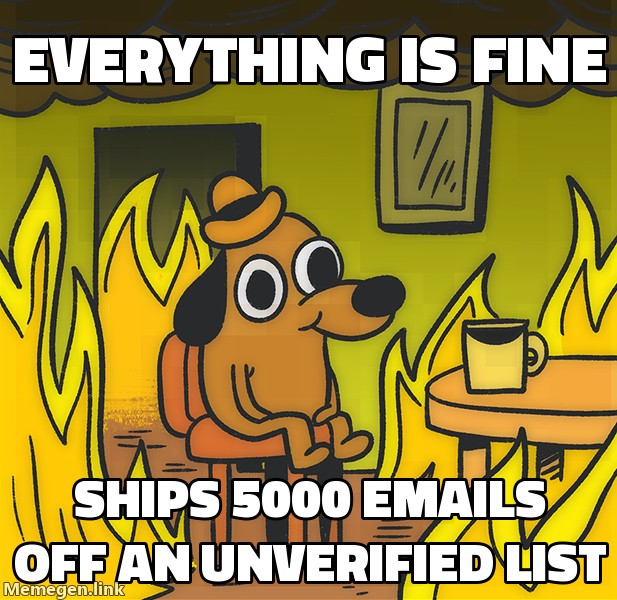 Skipping verification may increase bounce and reputation risk; measure provider responses before scaling.
Steps 2 to 5: Data Sourcing and Deduplication
Step 2: Choose a sourcing tool that covers your geography. Apollo covers North America well. European coverage, especially for DACH and Benelux, often requires layering in a second source. For sourcing into specific markets, see outbound lead generation Germany for what works in that region.
Step 3: Apply all filters before export, not after. Pulling a wide list and cleaning it later doubles your work. Set headcount, industry, location, and title filters inside the sourcing tool and export only the records that qualify. Credits are finite; use them on the right segment.
Step 4: Deduplicate against your CRM and suppression lists. Before enrichment, match every email and domain against your existing customers, active opportunities, previous opt-outs, and any competitor domains you exclude. Emailing a current customer asking them to become a customer is a relationship problem, not a data problem, and it happens more than teams admit.
Step 5: Normalize fields. Standardize job titles, company names, and country codes. Inconsistent formatting breaks copy variables and segment filters. A title column that contains “VP Sales,” “VP of Sales,” and “Vice President, Sales” as three different values will break any title-based personalization logic.
Steps 6 to 8: Enrichment
Step 6: Add the signal field your copy needs. Generic outbound fails because it contains no reason to reply now. Every record should carry at least one timely signal: a recent funding round, a new job posting, a product launch, a technology change, or a trigger from a tool like Bombora or G2 intent data. If your copy references a signal and the field is empty, the email will read as a template.
Step 7: Validate enrichment coverage before you commit to a sequence. Check what percentage of records have the signal field populated. If a meaningful share of records are missing it, either source the field from a second provider or build a fallback variant for empty records. Sending a variable that resolves to blank in the email body is worse than not personalizing at all.
Step 8: Score and tier your list. Not all records are equal. A company that matches your ICP perfectly and shows active buying signals is a different send than a company that barely qualifies on headcount. Build at minimum a two-tier structure: high-fit (more touchpoints, more personalization effort) and standard-fit (shorter sequence, lighter personalization).
Steps 9 and 10: Email Verification
Step 9: Run every address through a verification API. Export your enriched list to a verification tool and classify each address as valid, invalid, or catch-all. Remove all invalid addresses before import. Invalid addresses bounce, and bounces damage your sending domain faster than any other variable.
Step 10: Decide on your catch-all policy before you build sequences. Catch-all domains are common in mid-market and enterprise accounts. Some teams skip them entirely. Others send them through a separate subdomain with conservative volume to limit domain exposure. Pick a policy and apply it consistently rather than making the decision record by record at send time.
For teams running outbound in regulated industries or European markets, the verification step also needs to account for whether the sourcing method meets GDPR-compliant cold email requirements in each target jurisdiction.
Steps 11 and 12: Compliance and Final QA
Step 11: Document your lawful basis for every segment. In the EU and UK, legitimate interest is the standard lawful basis for B2B cold email. Document the legitimate interest assessment (LIA) for each campaign before you send, noting what data you hold, where it came from, why the recipient would reasonably expect this contact, and how they can opt out. This is not a legal formality. It is the difference between a recoverable complaint and a regulatory inquiry.
Step 12: Run a final QA pass on a random sample. Pull ten to twenty records at random and open them in a spreadsheet. Check that every copy variable is populated, that email format looks correct, that no catch-all addresses slipped through, that no suppressed domains are included, and that the signal field actually matches the account. Bugs found at this stage cost nothing. Bugs found after the campaign launches cost domains.
What Happens When You Skip Steps
Most campaign failures are not copy problems. They are list problems. High bounce rates come from skipping verification. Low reply rates come from skipping enrichment and ICP discipline. GDPR complaints come from skipping lawful basis documentation. Unsubscribe spikes come from skipping suppression deduplication.
The twelve steps above take longer than pulling a raw export and blasting it. They also produce campaigns that book meetings instead of burning infrastructure.
If you want this process handled for you, Asphia builds and runs the full data layer as part of done-for-you cold email and done-with-you outbound engagements. Every list goes through enrichment, verification, compliance review, and human approval before a single message sends.
Request the signal tier list.
A practical view of how we rank observable signals before outreach. We review each request for fit and may reply by email; delivery is not automatic.
By submitting, you agree to processing described in our Privacy Policy.
Your request was submitted. If it is a fit, we may follow up by email.
One more step: send the prepared request to [email protected]
FAQ
What should a B2B lead list include before cold outreach?
At minimum: verified work email, first name, company name, job title, and one signal or context field your copy can reference. Without a real email and one personalization anchor your message is generic volume, not outbound.
How do I verify emails on a B2B lead list?
Run every address through a real-time verification API such as LeadMagic, ZeroBounce, or NeverBounce before importing to your sending tool. Mark catch-all domains separately and decide whether to send to them based on your bounce tolerance.
What is a catch-all email domain and should I send to it?
A catch-all domain accepts all incoming addresses at the server level, so a verifier cannot confirm whether the specific mailbox exists. Many teams skip catch-all addresses for high-volume sends to protect sender reputation, or treat them as a lower-priority tier sent from a separate infrastructure.
How do I build a GDPR-compliant lead list for cold email in Europe?
Have qualified counsel assess the lawful basis and applicable local outreach rules for your campaign. Document the assessment, source data responsibly, include an easy opt-out in every email, and honor unsubscribes promptly.
How many bad emails will ruin my cold email campaign?
Most sending platforms flag accounts when bounce rates climb meaningfully above the baseline their algorithm expects. Unverified addresses may increase bounces and reputation risk; inspect provider responses and measured placement in your campaign context.
What is the difference between a lead list and a prospect list?
In practice the terms are used interchangeably, but a lead list is the raw output from sourcing while a prospect list is the cleaned, enriched, verified subset you actually send to. The checklist below turns the first into the second.

Ahmet Faruk Yilmaz
Founder of Asphia. He builds and runs signal-based B2B outbound engines for lean teams, and writes about cold email, Clay, deliverability, and GTM engineering.
Want this run for you?
Explore our B2B outbound and GTM engineering services, then request the planning framework to scope your next campaign.
Request the planning framework →