Clay and Apollo Lead List Building: The Workflow We Use for Every Campaign
May 13, 2026 · 5 min read · by Ahmet Faruk Yilmaz, Founder of Asphia
TL;DR
Pull a filtered company and contact list from Apollo. Use Clay for enrichment and email verification, add a buying signal such as a job post, funding, or tech change, then review verified, signal-qualified leads before sending. Verification may reduce invalid-address risk; measure bounce and reply outcomes against a raw-list baseline.
The short answer: pull a filtered company and contact list from Apollo. Import it into Clay, run enrichment and email verification, and add at least one buying signal. Export only the verified rows to your sequencer. Everything else is noise.
The workflow is simple. Problems start with the order of operations and skipped filters.
Step 1: Build the Apollo Filter Before You Export Anything
Apollo’s database is large. Without strict filters, that volume turns into noise.
Before exporting a single contact, lock down your ICP in Apollo’s search:
- Industry and sub-industry. Apollo’s industry tags are broad. Combine them with keyword filters on company description to narrow to the actual vertical you want.
- Employee count range. A 10-person company and a 200-person company at the same revenue stage have different buying dynamics. Set a tight band.
- Geography. If your offer is region-specific (GDPR compliance, local language, market-specific regulations), filter at the search stage, not after export.
- Seniority and title. Use Apollo’s seniority filter alongside a keyword list for titles. “Head of” and “VP of” catch more real decision-makers than relying on seniority alone.
- Contact email status. Export only contacts Apollo marks as verified or likely valid. Exporting everyone and relying on Clay to clean up balloons your Clay credit usage and slows table runs.
Export only what you plan to use in the next campaign. A focused list of 300 contacts beats a list of 3,000 that never gets sequenced properly.
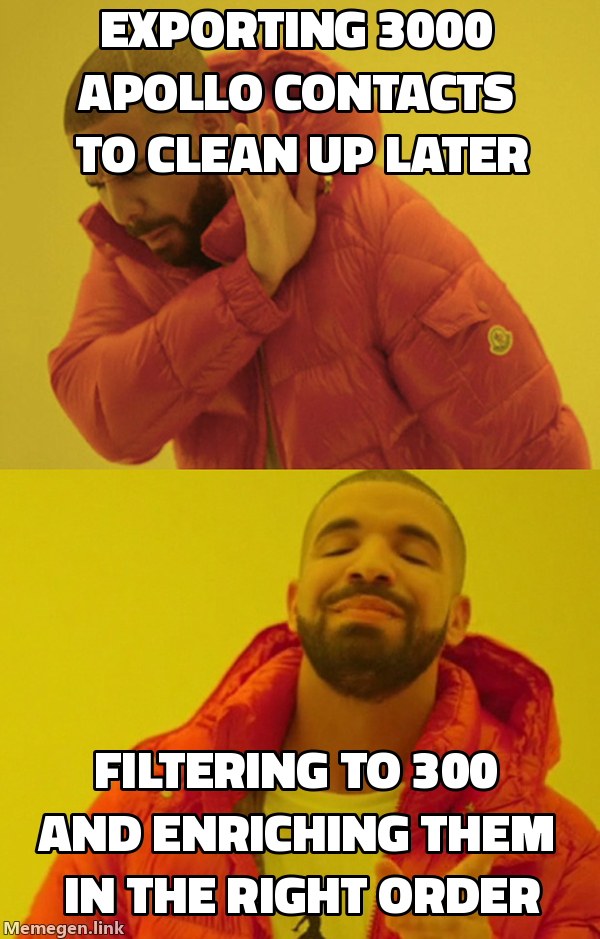 Most bounce problems are built into the export, not the send.
Step 2: Structure the Clay Table Before You Enrich
Import the Apollo export into a new Clay table. Before running any enrichments, spend fifteen minutes setting up the columns. It will save hours of rework.
Columns to set up upfront:
- Raw fields from Apollo (first name, last name, email, title, company, domain, LinkedIn URL)
- Enrichment output columns (verified email status, LinkedIn headline, signal flag, personalization variable)
- A single “send-ready” boolean column that combines verification and signal conditions
The send-ready column determines what reaches your sequencer. A row goes out only when verified email is true and the signal flag is not empty. Everything else stays in Clay.
Step 3: Run Enrichments in the Right Order
Each enrichment costs credits and time. Run the cheapest filters first, remove bad rows, then pay for the expensive enrichments.
First: email verification. Clay’s waterfall verifier checks each address with multiple providers. Drop invalid rows immediately. For GDPR-compliant outbound, this step also keeps suppressed contact categories out of your send. Treat “risky” status as invalid unless your bounce tolerance is very low.
Second: LinkedIn enrichment. Pull the contact’s current headline, company, and recent post activity where available. LinkedIn titles often differ from Apollo data, especially when someone changed roles in the past six months. A wrong title breaks the personalization before the email opens.
Third: signal enrichment. This step separates the workflow from basic list building. A signal is a data point that suggests the contact may be in a buying window. Useful signals vary by campaign:
- Open job posts for the role your product replaces or augments (signals budget and pain)
- Recent funding round in the last 90 days (signals growth stage and spend appetite)
- Technology change detected via BuiltWith or similar (signals active vendor evaluation)
- LinkedIn post by the contact mentioning a relevant challenge (signals active pain awareness)
Run signal enrichment only on rows that pass email verification. Do not spend credits enriching a bad email.
Clay’s enrichment service model makes this manageable. Set each enrichment step as a column formula, define when it runs, and let the table process the rows in the background.
Step 4: Write the Personalization Variable
Enrichment should produce one relevant sentence per contact, not simply add more data.
In Clay, add a formula column that combines enrichment outputs into a short hook. If the signal column contains an open SDR job post, for example, the hook could read “noticed you’re hiring for outbound.” Use that specific observation instead of a generic claim.
Keep the hook to one line. The sequencer template inserts this variable into the email opening. A reviewer checks the column during QA before approving the send.
If you are building this workflow for the first time, done-with-you outbound includes the Clay table structure, Apollo filter templates, and signal logic. The system stays in your stack.
Step 5: Export Only Send-Ready Rows
Filter the Clay table to send-ready equals true, then export it to your sequencer. At Asphia, a person approves every export before the sequence activates. This catches formula errors, stale signals, and edge cases missed by automated filters.
In client campaigns, the gap between “exported from Apollo” and “send-ready after Clay” is substantial. Once the full workflow runs, invalid emails, outdated titles, and missing signals remove a significant share of raw Apollo rows. That is not a flaw in either tool. The workflow exists to find the smaller, higher-quality group worth contacting.
The Clay vs Apollo breakdown shows where each tool’s data is strongest and where they complement rather than replace each other.
If you want this workflow in your stack without building it yourself, our lead list and enrichment service covers Apollo filtering, Clay table setup, enrichment runs, and verification.
Request the signal tier list.
A practical view of how we rank observable signals before outreach. We review each request for fit and may reply by email; delivery is not automatic.
By submitting, you agree to processing described in our Privacy Policy.
Your request was submitted. If it is a fit, we may follow up by email.
One more step: send the prepared request to [email protected]
FAQ
What is the clay apollo lead list building workflow?
Apollo handles ICP filtering and initial contact discovery. Clay connects to Apollo's API, enriches each row with additional data points (LinkedIn activity, job postings, tech stack), verifies emails through a waterfall, and outputs a clean, signal-scored list ready for sequencing.
Do I need both Clay and Apollo or can I use just one?
Apollo gives you contact data but limited enrichment depth. Clay requires a separate data source. Together they can cover a broader pipeline: Apollo for discovery volume, Clay for enrichment and signal layering. Assess whether your workflow needs both against a single-source baseline.
How do I filter Apollo for high-quality leads before exporting to Clay?
Apply at minimum: industry, employee count range, geography, and seniority level. Add technology filters if selling a competitor replacement. Export only contacts with verified or likely emails to avoid burning Clay credits on bad records.
What enrichment steps should I run in Clay after importing Apollo leads?
Run email verification first to drop invalids. Then pull LinkedIn headline and recent activity, check for open job posts matching your ICP signal, and optionally add company news via Perplexity or similar. Each enriched field becomes a personalization variable.
How does Clay email verification work and why does it matter?
Clay runs emails through a provider waterfall (multiple verifiers in sequence) and assigns a status: valid, risky, or invalid. Reviewing invalid and risky emails before sending can reduce invalid-address risk, but provider accuracy and bounce outcomes vary; measure them in your own campaign.
How long does it take to build a lead list with Clay and Apollo?
A focused 500-contact list with enrichment and verification typically takes two to four hours of Clay table run time, plus one to two hours of setup and QA. Repeat campaigns on the same ICP are faster because filters and table structures are already built.

Ahmet Faruk Yilmaz
Founder of Asphia. He builds and runs signal-based B2B outbound engines for lean teams, and writes about cold email, Clay, deliverability, and GTM engineering.
Want this run for you?
Explore our B2B outbound and GTM engineering services, then request the planning framework to scope your next campaign.
Request the planning framework →